|
|
Golden Inventory Synchro |
|
Overview |
Another inventory software Content Top Previous Next |
|
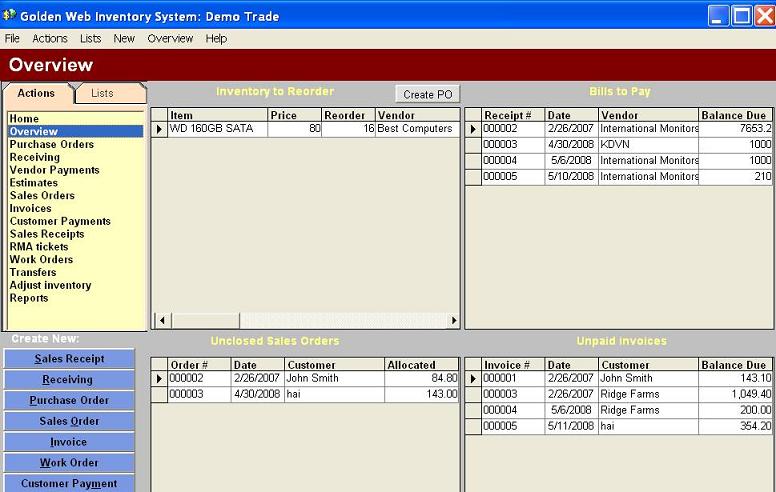
You can set for each you item the minimum and target quantity in the warehouses.The program will automatically define the product list with minimum stocks. If you select the menu row Overview in the Action panel you'll see this list as "Inventory to Reorder". Select any item and click the button "Create PO". Inventory system will create a Purchase Order with all products received from a Vendor of the selecting item. Program calculate the reorder quantity using the target quantity for each product
You may see your debts to vendors in the table "Bills to Pay" at the Overview panel. Program collects all unpaid Item Receipts from Receiving section
When you create Sales Order you allocate products for customers.If you don't ship a product to your customer Sales Order is unclosed.The table "Unclosed Sales Orders" will be remind you about such orders.
The table "Unpaid Invoices" contains all shipped but unpaid invoices. You can check debts of your customers
|