|
|
Golden Inventory Synchro |
|
How to install? |
Another inventory software Content Top Previous Next |
|
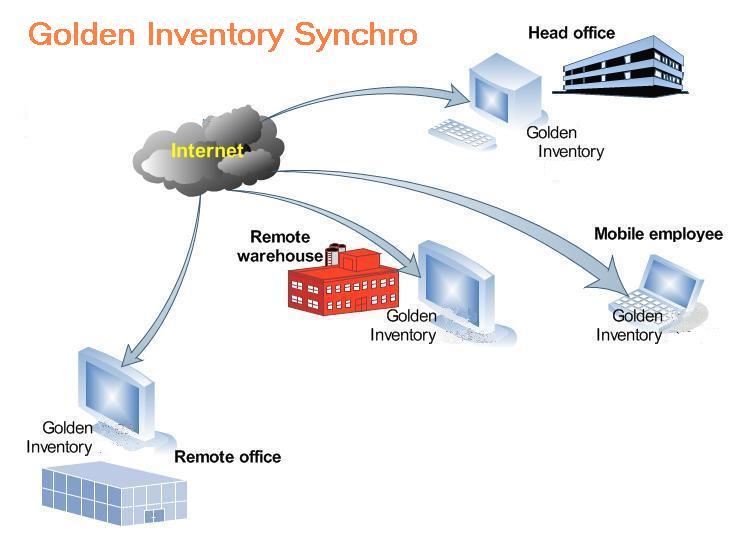
For example, you have three warehouses. If somebody in New York, receives a product then another person in Sydney can know about it instantly. System keeps all information in local database files and collect all information in the main database periodically. You can locate these database files at your computers and connect all computers to the Internet. Golden Inventory Synchro is a fast desktop inventory program with powerful report and bar code features working with a distributed database. Consider how we can create the inventory system for a company with two remote offices and sales reps.
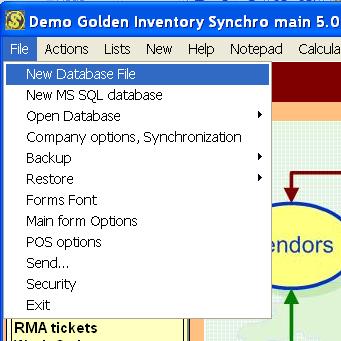
The program will ask you fill out the transaction prefix for the main database.
After creation the new database the program will suggest to fill out the company and synchronization options.
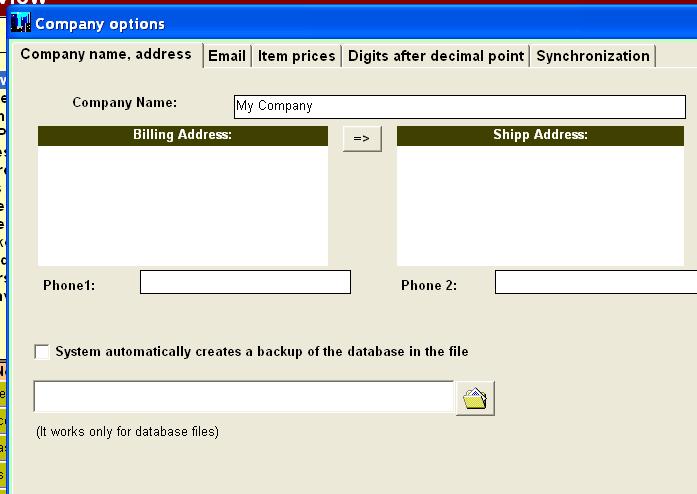
Enter the name of your company and the Billing and Shipping addresses. Then, open the panel Synchronization.
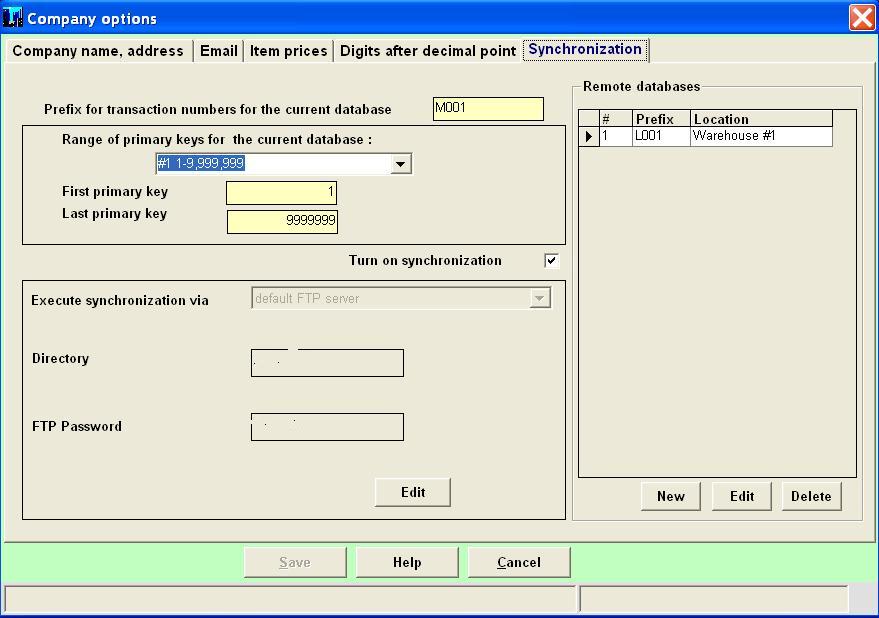
Set the checkbox Turn on synchronization and click the button Save. The program will connect with our ftp server and fill out the fields Directory and FTP Password. All your programs will use this directory for transmit synchronization files. You will enter in the right panel remote databases with assigned storage location. Golden Inventory Synchro will interact with your local databases according to the table Remote databases.
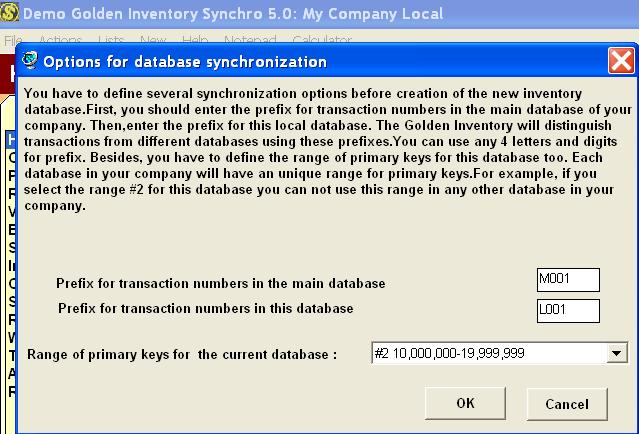
Then, run Golden Inventory Synchro on your local computers and create local database files. You have to define for each local database an unique transaction prefix and range of primary keys. It allows to work separately on each computer.
You should enter the prefix of the your main database and a unique local prefix. For example, the first local database has the prefix "L001" and the range of primary keys #2. The second local database will have the prefix "L002" and the range #3. Golden Inventory Synchro sends all information through FTP servers. The ftp server doesn't save your information. The programs use it only for transmit synchronization files.
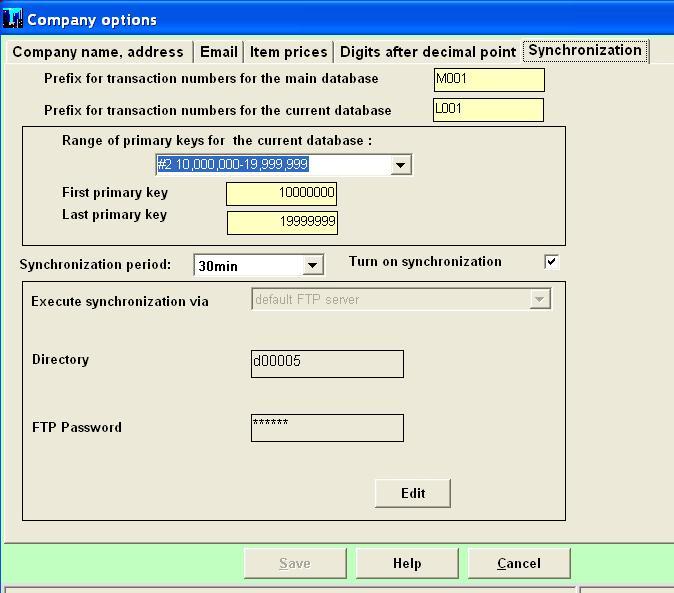
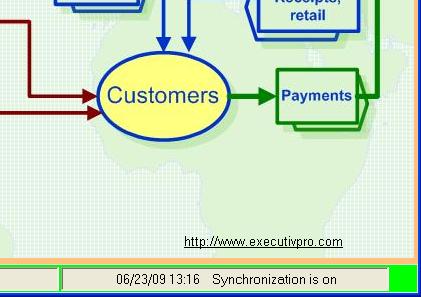
You should click the button Edit on the Synchronization panel and enter the Directory and password from your main database. Set the checkbox Turn on synchronization and select an appropriate Synchronization period. Click the button save and look at the status bar on the main form. If your program has connection with ftp server you'll see the green square and message Synchronization is on.
You will be able to synchronize all local databases with the main database file via Internet. Golden Inventory Synchro main will collect all information from local databases in your main database and send to the local databases information concerned the local databases: Item list,customer types,vendor types,payment methods, transfer orders for local warehouses and other.
If you have several computers in your main office you can connect all programs to the main database directly via your local network using the menu Open database-Database file. But you have to turn on synchronization only in one program. |